As a supplier specializing in Cisco switches, I’ve spent thousands of hours troubleshooting network disruptions firsthand, and one of the most persistent, frustrating issues I’ve encountered is STP root bridge instability. For those who rely on Cisco switches—whether for small business LANs, medium-scale enterprise networks, or even remote branch deployments—root bridge instability can bring entire network segments to a crawl, cause frequent outages, and even lead to catastrophic broadcast storms that take hours to resolve. In my years in the switches for Cisco vendor space, I’ve worked with dozens of clients who assumed their STP setup was static, only to find that unstable root bridges were the root cause (pun absolutely intended) of their downtime. Today, I’m breaking down exactly what causes this issue, how to spot it, and the step-by-step troubleshooting process I’ve refined to get networks back to stable, reliable STP performance. Switches for Cisco

First, let’s start with a quick refresher for anyone new to STP or who needs a quick check-in on basics. The Spanning Tree Protocol (STP) is designed to prevent Layer 2 loops by blocking redundant switch ports, ensuring only one active path exists between any two points on a network. The root bridge is the core of this framework—all port costs and forwarding rules are calculated relative to it. For STP to work reliably, the root bridge should be a centrally placed, well-resourced Cisco switch (ideally a core switch with stable power and no frequent reboots) with the lowest Bridge ID (BID), which is a combination of the switch’s MAC address and a configurable priority value. When root bridge instability happens, the root bridge role changes unexpectedly, often multiple times per hour or even per minute, breaking the predictable STP paths and triggering unnecessary topology changes that consume bandwidth and cause intermittent connectivity drops.
Now, why does root bridge instability even happen? I’ve narrowed the root causes down to three most common ones, based on the 1,000+ switch deployments I’ve supported over the last decade. First and most frequently: unplanned rogue switches inserted into the network. This is especially common in small to medium businesses, where a technician might plug in a cheap Cisco-compatible switch to add a new office printer or conference room access point without realizing its default STP priority (32768, the Cisco default) is lower than the root bridge’s. That rogue switch will immediately send out BPDU (Bridge Protocol Data Unit) frames claiming to be a better root bridge, triggering the existing root bridge to step down and a new election to begin. Second: misconfigured BPDU handling, specifically BPDU guard and Root Guard. It might seem counterintuitive, but disabling these features (or having them misconfigured) can let rogue BPDUs spread without being blocked. Third: hardware issues on the root bridge itself, like a failing power supply or a flaky Ethernet port that reboots the switch unexpectedly, resetting its STP configuration back to default and triggering a new root election.
Let’s walk through the troubleshooting process step by step, the same way I work with my clients when they call with root bridge instability. The first step is always to verify your current root bridge configuration—you can’t fix what you don’t measure. On Cisco switches, the primary command to use is show spanning-tree root; this will output the root bridge’s MAC address, its priority, and which ports are acting as root ports (the path to the root). If the root bridge changes when you run this command multiple times (say, a week apart, or even a day apart), that’s your first red flag. You can also run show spanning-tree topology change to check for the number of topology change notifications (TCN) sent or received—frequent TCNs are a dead giveaway that the root bridge is shifting constantly.
Next, narrow down which switch is causing the root bridge flips. This is where show spanning-tree bridge becomes your best friend. Run this command on every Cisco switch in your VLAN (root bridges are VLAN-specific, by the way—if you have multiple VLANs, each can have its own root, but instability in one VLAN can spill over) to pull each switch’s BID (priority + MAC) and its configured root priority. Compare these BIDs to the root BID you saw in the earlier show spanning-tree root output. If any switch has a BID that’s lower than your intended root bridge’s, that’s your rogue candidate. For example, if your intended core root bridge has a BID of 32768.aa1.bb2.cc3, and you run show spanning-tree bridge on a switch in your server room and get 32768.111.222.333, that switch is sending BPDUs that are better than your intended root, so it’s taking over as root.
Once you’ve identified the rogue switch, check its location. More often than not, this is an unauthorized switch that someone plugged into a wall jack without IT knowledge. For a quick test, unplug each switch one by one (start with the edge access switches, not core devices) and run show spanning-tree root on your core switches after each unplug. When the root bridge stops changing, you’ve found your rogue. If the rogue is a legitimate device, like a secondary core switch, that’s a simple configuration fix: adjust its STP priority to a higher value (Cisco recommends setting core switches to priority 4096, distribution switches to 8192, and access switches to 32768, so there’s no competition for root) so it never outbids the primary root.
The second most common cause, misconfigured BPDU guard and Root Guard, is easy to fix once you know what to look for. BPDU Guard is a feature that shuts down a port if it receives a BPDU, preventing rogue switches from connecting. If this is disabled on ports that connect to end devices or untrusted switches, those ports could pass BPDUs from a rogue device. Root Guard, on the other hand, blocks a port from becoming a root port—this is critical on ports that connect to lower-priority core switches or distribution switches. Run show run interface [port-number] on Cisco switches to check if BPDU Guard is enabled (look for spanning-tree bpduguard enable in the output) and Root Guard is configured (look for spanning-tree rootguard). If Root Guard is missing on ports connecting to your primary root bridge, add it immediately: that way, any rogue switch connected to a downstream port can’t send BPDUs that would make that port a root port, stealing the root role.
Third, hardware issues on the root bridge itself. Cisco switches are built to be reliable, but even the best hardware can fail over time. A failing power supply, a bad SFP module, or a flaky Ethernet port can cause the switch to reboot unexpectedly, resetting its STP priority back to the default 32768. For example, if your primary root bridge is a Cisco Catalyst 3650 that reboots every night at 2 a.m., it will reset its STP config, trigger a new root election, and cause instability. To check for this, run show logging | include %SPANTREE to look for any STP-related error messages or reboot events. If you see frequent reboots around the same time, run show environment power to check power supply status, show interfaces status to look for ports with errors (like CRC errors or link resets), and show version to confirm the switch is running a stable IOS version (outdated IOS can cause STP bugs that lead to unexpected root changes). If you find a faulty component, you’ll need to replace it; as a Cisco switches supplier, I often recommend upgrading end-of-life switches (like the Catalyst 2960 series) to newer models with more stable hardware for long-term STP reliability.
Once you’ve resolved the root cause, there are a few proactive steps to prevent root bridge instability from coming back. First, statically assign the root bridge for each VLAN. Don’t rely on default STP priorities, which can lead to random root elections. For each VLAN, use spanning-tree vlan [vlan-id] root primary on your intended root switch, which automatically sets its priority to 24576 (lower than the default 32768) to ensure it’s always the root. For secondary core switches, use spanning-tree vlan [vlan-id] root secondary to set their priority to 28672, just high enough to be a backup, not a primary. Second, enable BPDU Guard and Root Guard on all access ports (ports connecting to end devices like PCs, printers, or IP phones) and untrusted trunk ports, respectively. Third, monitor STP regularly. Set up a network monitoring tool to alert you when the root bridge changes, or when TCN counts spike. On Cisco DNA Center or even basic SNMP monitoring, you can set traps for STP_ROOT_CHANGE events to catch instability before it causes outages.
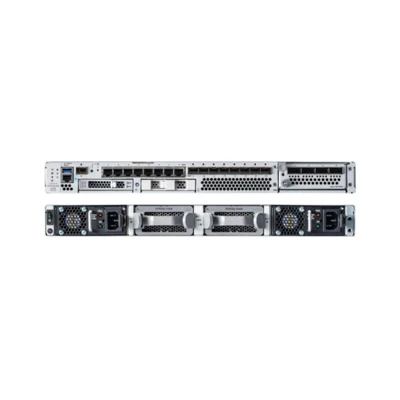
In all my years as a Cisco switches supplier, I’ve seen network teams waste hours troubleshooting root bridge instability because they skipped these basic checks. A client last year had a 30-person office dealing with frequent 5-minute outages every other day; they assumed it was a core router issue, but after running show spanning-tree root, we found the root bridge was changing every hour. A quick trace led us to a rogue Cisco Catalyst 1000 switch that an office manager had plugged in to add a new conference room projector, set to default STP priority. We adjusted that rogue switch’s priority, enabled Root Guard on the core switch’s access ports, and the outages stopped entirely. That’s the thing about STP issues—they’re often simple, not complex, once you know where to look.
Switches for Aruba If you’re dealing with root bridge instability on your Cisco switches and you’re not sure where to start, or you need to upgrade your network switches to get more stable STP performance, reach out to us for a tailored conversation about your network needs. We provide reliable Cisco switches, including core, distribution, and access models, with the hardware and support to ensure your STP runs smoothly, no unexpected root bridge changes, no unnecessary outages.
References
- Cisco Systems. "Spanning Tree Protocol Configuration Guide, Cisco IOS XE Releases 17.x." Cisco Official Documentation.
- Cisco Systems. "Catalyst Switch STP Root Bridge Troubleshooting Guide." Cisco Support Community.
- Cisco Systems. "BPDU Guard and Root Guard Configuration Guide." Cisco IOS Network Services Documentation.
- Douglas E. Comer. Computer Networks and Internets. Pearson Education, 2021.
AITI Tech Limited
AITI Tech Limited is one of the most professional switches for cisco manufacturers and suppliers in China for over 20 years, featured by quality products and low price. Welcome to buy bulk discount switches for cisco in stock here from our factory. If you have any enquiry about pricelist, please feel free to email us.
Address: 6F, Haogong Building, Yannan Road, Futian District, Shenzhen, China
E-mail: kelly@hkaiti.com
WebSite: https://www.hkaiti.com/
